Uber is an American transportation company that provides taxi services at affordable rates. Today, we’ll tell you how to delete an Uber account easily.
Hire a taxi to go to your office, birthday party, or somewhere else. Explore different travel options, check the total fare in advance, and make payment by cash or Uber wallet. Uber helps you to reach a target location safely and also order your favorite food from the comfort of your home.
Yet some people reach a point where they want to move on. Privacy worries grow. Some users switch to other apps. That’s when the search for how to delete the Uber account begins.
Let us get started,
Contents
How to Delete Uber Account via Website
If you decided to cancel and delete your Uber account, here’s what to do.
- Click here to open Uber’s account deletion page and sign in with your credentials.
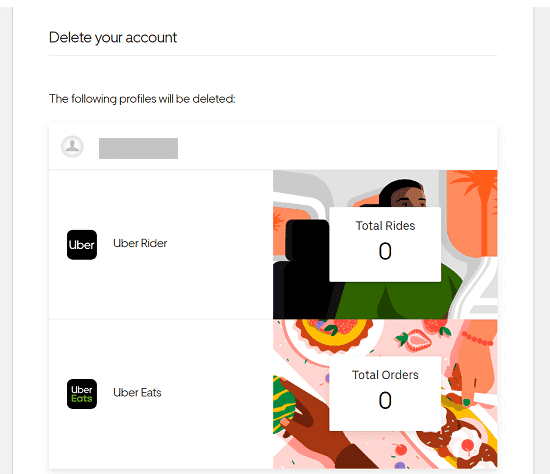
Deleting Uber will delete both your Rider and Eats accounts. If you proceed with the request, both profiles will be deactivated immediately and permanently deleted within 30 days.
Click on Continue to go to the next step.
- Select a reason why you are closing Uber account. Then, you will get a screen like this,
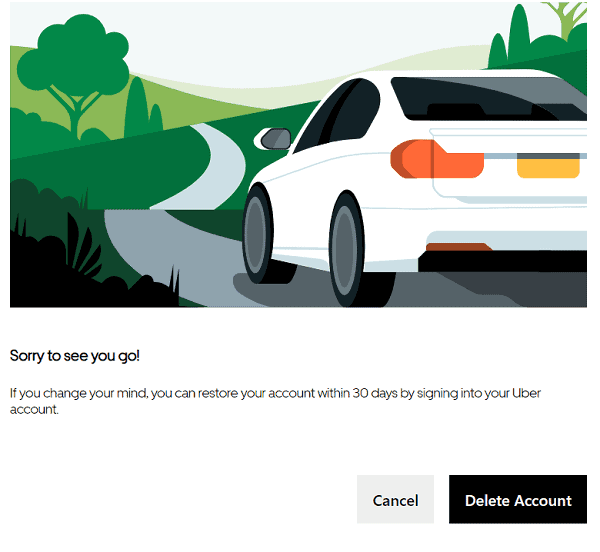
Tap Delete Account. You will get a confirmation message that your account has been successfully deactivated, and you will be automatically signed out.
Uber will keep your unused credits, rewards, and promotions for the next 30 days. During this period, you can sign back in to restore your account. Thereafter, they will delete your entire data except certain information as required by law.
How to Delete Uber Account via App
Here’s how to delete your Uber account from iOS and Android apps,
- Open Uber app on your mobile and sign in to your account
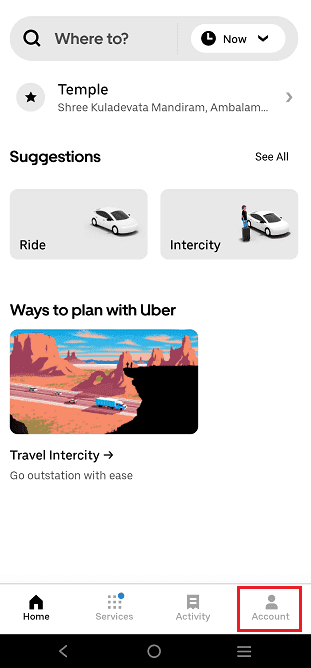
Open Settings.
- Visit Privacy settings
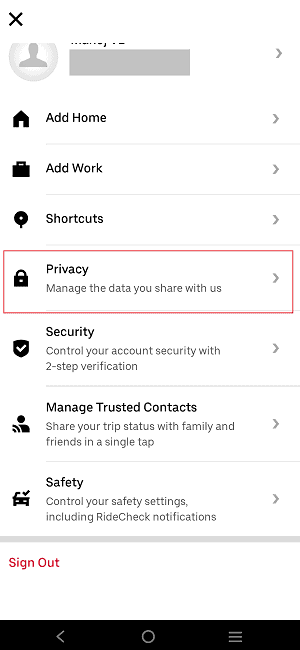
Head to Privacy center as next.
- Scroll down to locate and click the Account Deletion option,
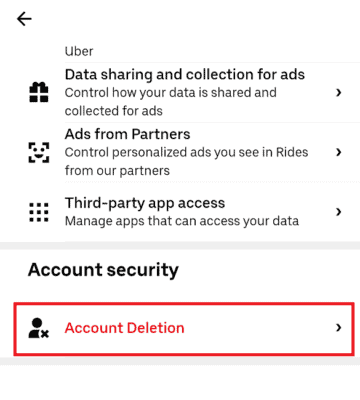
Another screen will appear. Enter your email address or phone number to proceed. Uber will send a 4-digit confirmation code to your mobile number. Enter it and tap on Next.
Pick a reason why you are deleting your Uber account. Finally, click on Delete account button again.
Your account is deactivated instantly and will be permanently deleted within 30 days, including unused credits, rewards, promotions, etc.
How to Delete Uber Account Without Access to Phone Number
Losing access to your registered phone number can slow down the deletion process. Still, you can remove your account with a few extra steps.
Start by opening the Uber app or website. Log in using your email address instead of your phone number. If login works, go to Settings, open Privacy, and select Account Deletion. The system may ask for verification.
If the OTP does not reach your old number, look for an option to update contact details. Add a new phone number and verify it. After verification, return to the account deletion page and complete the process.
If login fails, contact Uber support through the help section. Choose account and payment options. Explain that you no longer use the registered number and want to delete the account. Support may ask for identity details like past trip locations or payment method digits.
Once verified, they will guide you through deletion. The 30-day waiting period still applies.
What Happens After You Delete Your Uber Account
After you confirm deletion, your Uber account enters a deactivated state. You cannot book rides or place food orders during this phase. The app will block access until the waiting period ends or the account gets restored.
Deactivation will last for 30 days. During this time, logging in again will cancel the deletion request. Many users regain access by mistake during this period, so avoid signing in again if you really want to delete your account.
After 30 days, Uber removes your personal account details from active systems. This includes profile data and saved locations. Ride records may be retained for legal or tax reasons. This is to comply with local data laws.
Credits, promo balances, and rewards linked to the account will expire. You will not be able to recover them after deletion.
Once the process is complete, the account no longer exists. You can create a new account later using the same phone number or email.
How to Reactivate a Deleted Uber Account
Reactivation only works during the 30-day deactivation window. After that, the account will not be recovered.
To reactivate, open the Uber app or website. Log in with your registered phone number or email. Enter the OTP sent to your email or phone. After a successful login, the system will automatically restore your account.
You will get your previous ride history, saved locations, and payment methods back. You can book rides again.
If login fails, contact Uber support. Share your registered email and recent trip details. They may be able to help you recover your account if the deletion period has not expired.
After the 30-day limit, reactivation is no longer possible. At that point, only a new account setup will work.