
Your files are sitting in Dropbox including photos, client folders, invoices, and others. One account contains almost everything. It sounds convenient, but it can also seem risky.
Storage limits are increasing. Plans are getting more expensive. Probably, you may want strong backup, a longer version history, or better privacy controls. At some point, you’ll start looking for Dropbox alternatives that fit your needs rather than forcing you into a one-size-fits-all approach.
Cloud backup services have grown a lot in the last few years. Some focus on full device backup. Others focus on encryption and privacy, or target budget users who want large storage at a low cost.
Today, I pick the 10 best free Dropbox alternatives in this post. They are reliable, secure, and offer up to 50 GB of lifetime free storage. Moreover, you can use them on any device, including Windows, Mac, iOS, and Android.
| Disclosure: Your support helps keep the site running! We earn a referral fee for some of the services we recommend on this page. |
Contents
Top 10 Dropbox Alternatives for Backup
Here’s the list of our favourite Dropbox alternatives,
1. Google Drive
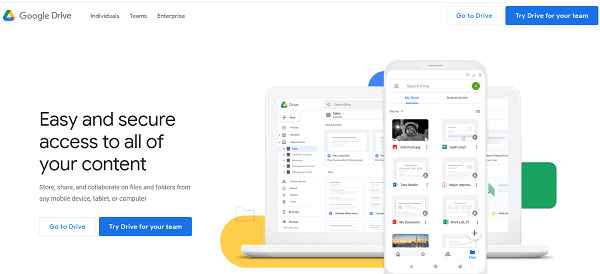
Google Drive is the most reliable cloud storage and naturally occupies the top spot among our suggestions. Launched in 2012, it has more than 1 billion active users as of now.
Store your documents, photos, videos or other file types and manage them at a later time even from a phone. Google Drive is well connected to all Google services including Gmail, Google Photos, Google Docs, and spreadsheets.
Free storage: 15 GB
Pricing for Premium plans: $1.99 monthly for 100 GB, $9.99 monthly for 2 TB and $299.99 monthly for 30 TB.
Platforms: Web | Windows | Mac | Android | iOS
2. OneDrive
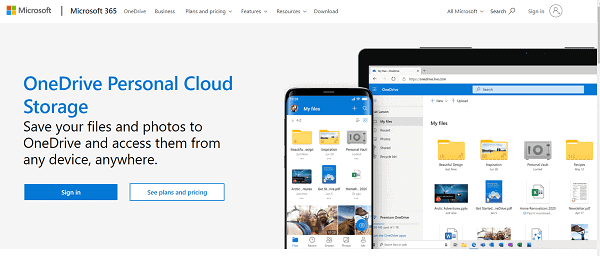
OneDrive is a popular cloud storage solution from Microsoft. It was launched as SkyDrive in 2007 and is available in 107 languages. It can be used for file storage, backup, and syncing between devices.
Free storage: 5 GB
Pricing for premium plans: $1.99 monthly for 50 GB (personal), $5 monthly per user for 1TB (business)
Platforms: Web | Windows | Mac | Android | iOS
3. pCloud
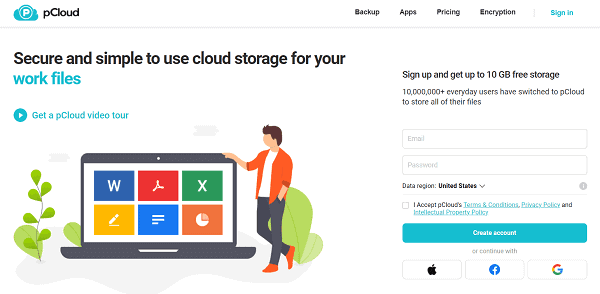
pCloud is another Dropbox alternative that offers free storage of 10 GB. This Swiz-based venture, founded in 2013, has over 6 million users now. With a pCloud account, you can store files of various types and share them among others. It lets you sync them across the devices, so accessing and working on them at a later time is not a hurdle for you.
Free storage: Up to 20 GB
Pricing for premium plans: $3.99 monthly for 500 GB, $7.99 monthly for 2 TB.
Platforms: Web | Windows | Mac | Android | iOS
4. Box
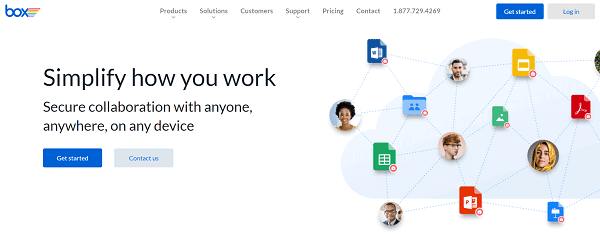
Box is a leading file storage and share service based in California, US. It was founded in 2005 and offers several tools to store and manage files on the cloud.
Free storage: 10 GB
Pricing for premium plans: $5.95 monthly for 100 GB for individuals, $16.99 for unlimited storage for businesses.
Platforms: Web | Windows | Mac | Android | iOS
5. Amazon Drive

Amazon Drive is a premium cloud service from the e-commerce giant Amazon.com. It was launched in 2011 and provides secure file storage, backup, file sharing, and photo printing services in selected regions worldwide.
Pricing for premium plans: $11.99 yearly for 100 GB, $1799.70 yearly for 30 TB of storage
Platforms: Web | Windows | Mac | Android | iOS
6. iDrive
IDrive appeals to people who treat backup as a priority. It protects entire devices, not just the folders you choose. You can back up your laptop, phone, external drives, and even servers under one account. That gives peace of mind for people who store life and work on multiple devices.
The service keeps older copies of files for longer periods. This helps if you overwrite something by mistake or remove a folder and later need it again. It also supports file versioning, snapshots, and point-in-time recovery. You can rewind changes and restore the version you need.
The desktop and mobile apps have a simple layout. You can log in, select folders or whole drives, then let it run. The service includes continuous backup for chosen folders. Once you set it, files update on their own.
IDrive is perfect for people who need long-term backups and file recovery. It works well for those who run businesses, store creative work, and want a reliable wallet for family documents. Dropbox users who wish to deep backup controls may find IDrive a strong match.
Free storage: 10 GB
Pricing for premium plans: $2.95 yearly for 100 GB, $69.95 yearly for 5 TB (Personal & Teams), and $69.95 yearly for 250 GB storage (Business).
Platforms: Web | Windows | Mac | Android | iOS
7. Sync
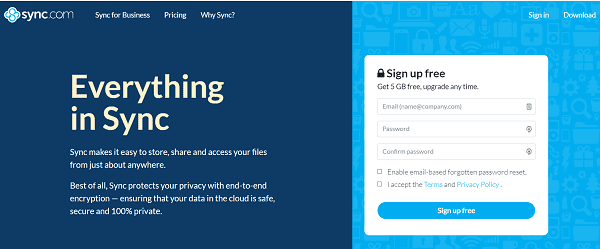
Sync is one of the best Dropbox alternatives for storing and managing files. It was founded in 2011 and currently serves more than 750k users in over 180 countries. Sync allows you to store, share your precious files easily and protect them with end-to-end encryption.
Free storage: 5 GB
Pricing for premium plans: $10 monthly for 3 TB (personal), $5 monthly for 1TB for each user (business)
Platforms: Web | Windows | Mac | Android | iOS
8. Proton Drive
Proton Drive attracts users who value privacy. It comes from the makers of Proton Mail, a service known for secure email. The same approach applies here. Files are encrypted on your device before they reach the cloud. Even the service staff cannot view your content.
The interface is clean and easy to learn. It feels like regular cloud storage, but you get stronger protection behind it. The service supports file sharing through secure links. You can set access rules and track who downloads your files.
Proton Drive has a free plan with limited space. Paid plans offer more storage and extra features. Many people like Proton Drive because it mixes ease of use with secure design. You do not need technical skills to keep your data private.
If you want a Dropbox alternative for backup with privacy at its core, Proton Drive is worth trying. It delivers backup without exposing your files.
Free Storage: 5 GB
Pricing for premium plans: $3.99 monthly for 200 GB, $9.99 monthly for 500 GB, and $14.99 monthly for 2 TB.
Platforms: Web | Windows | Mac | Android | iOS
9. Mega

Mega is a New Zealand-based file hosting service since 2013. It has more than 50 million active users now in over 245 countries. Mega files are well secured as they are encrypting locally before uploading to the cloud.
Free storage: 50 GB
Pricing for premium plans: $5.75 monthly for 200 GB, $11.49 monthly for 1 TB, and $33.99 monthly for 8 TB.
Platforms: Web | Windows | Mac | Android | iOS
10. MediaFire

MediaFire is one of the popular Dropbox alternatives for file hosting, synchronization, and sharing. Launched in 2006 in the United States, it has more than 50 million users worldwide until this writing.
Free storage: 10 GB
Pricing for premium plans: $ 3.75 monthly for 1 TB and $40 monthly for up to 100 TB
Platforms: Web | Windows | Mac | Android | iOS
11. SugarSync
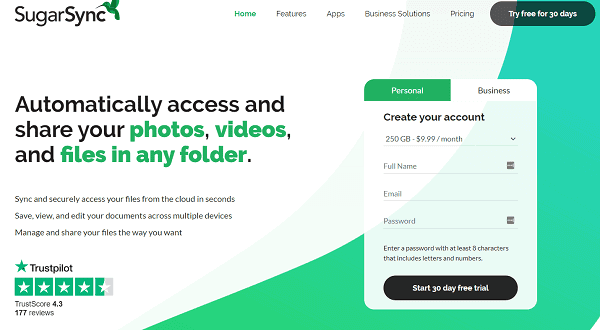
SugarSync is a cloud service for file backup, access, share and syncing across various device types and operating systems. It was launched in 2009. It had free storage options earlier but shifted to paid only service in 2014.
Pricing for premium plans: $7.49 monthly for 100 GB, $9.99 monthly for 250 GB, $18.95 monthly for 500 GB (personal) and $55 monthly for 1 TB for multiple users (business)
Platforms: Web | Windows | Mac | Android | iOS
12. Filen

Filen is another Dropbox alternative for storing and sharing your files on a secure server. Founded in early 2020, this German company offers 10 GB of free cloud storage to all users. Their pricing starts at $12.59 per year for 100 GB of storage.
Lifetime storage is another advantage of the Filen cloud storage service. Pay as low as $58.50 and store your precious files forever in their encrypted cloud storage. It is totally safe. They ensure military-grade end-to-end encryption, auto-syncing, and file sharing in all plans.
Free storage: 10 GB
Pricing for premium plans: $21 yearly for 200 GB, $42 yearly for 500 GB, and $95 yearly for 2 TB
Platforms: Web | Windows | Mac | Android | iOS
Final thoughts
Cloud storage is not one-size-fits-all. People have different needs. Some want privacy or cheaper plans. Some want deeper backup options than Dropbox delivers. The good news is that you have several choices.
Services like IDrive, pCloud, Sync.com, Proton Drive, and MEGA bring fresh strengths to the table. IDrive focuses on full-device backup. Sync.com and Proton Drive make security their most considerable promise.
pCloud gives long-term storage and lifetime plans. MEGA offers generous free space for lighter needs. Pick a cloud storage as per your needs. Test free plans first. Many companies offer up to a 30-day money-back guarantee, so you can test their premium features for free.
Store a set of files, access them from other devices, and analyze sharing options. Contact their customer support for clarification. If satisfied, you can run a full backup and store all your precious files in the cloud vault. Since they are encrypted, no one can access them without your permission. Enable two-factor authentication or fingerprint protection to secure your login pages.
Read How to Get 500 GB of Free Lifetime Cloud Storage


