Vimeo is the “high-definition sanctuary” for filmmakers, educators, and creative professionals. Whether you’re a motion designer looking to archive a masterpiece for inspiration, a student saving a lecture for a long trip, or a creator looking to back up their own portfolio, it’s common to need to download Vimeo videos to your computer.
However, unlike other platforms, Vimeo prioritizes creator control. This means that “how to save a video” isn’t always as simple as clicking a single button.
In this comprehensive guide, we will explore all methods to download Vimeo content—from the official “creator-approved” way to advanced workarounds for those elusive private files.
Contents
Understanding Vimeo’s Download Philosophy
Before we dive into the “how-to,” it’s important to understand the “why.” Vimeo allows creators to decide whether their work can be downloaded.
- Public Downloads: Some creators want their work shared and saved.
- Disabled Downloads: Some artists protect their work due to licensing, client agreements, or exclusivity.
- Private/Password Protected: Used for internal reviews, premium courses, or private family sharing.
Regardless of the method you choose, always remember the golden rule of the Vimeo community: Respect the creator. If a video is set to “no downloads,” consider reaching out to the creator directly—our community is built on collaboration, and many are happy to share a file if asked nicely.
Method 1: The Official Way (Directly from the Vimeo Player)
If a creator has enabled downloads, you can save time. This is the only way to guarantee you are getting the highest-quality source file without any additional compression.
Step-by-Step Instructions:
Pro Tip: If the video opens in a new tab instead of downloading, right-click the video and select “Save Video As…” (Windows) or “Download Linked File” (Mac).
Log In: You must be logged into a Vimeo account to download source files from public videos.
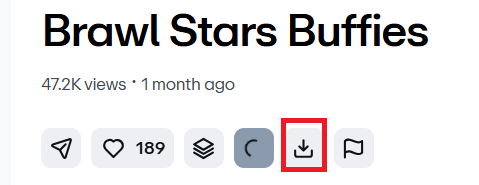
Locate the Button: Navigate to the video page and look below the video player. You will see a button labelled “Download.”
Choose Your Resolution: A modal window will appear offering several options, such as SD, HD 1080p, and sometimes 4K or the “Original” source file.
Save to Computer: Click the download icon next to your desired quality.
Method 2: Vimeo Downloader Apps
If you prefer a dedicated tool to download Vimeo videos and need more options, here’s a way. Go with a third-party video downloader.
They offer more stability, speed, and advanced features like batch downloading. This is ideal for users who need to save multiple videos frequently without having to deal with browser lag.
1. 4K Video Downloader Plus

4K Video Downloader Plus is a popular tool to download Vimeo videos in high quality. It lets you download Vimeo videos in stunning 4K or, if available, 8 K.
The “Smart Mode,” allows you to apply your favorite settings to every download with just one click. It’s also great for power users who need to download entire playlists or channels at once. It’s safe, ad-free, and ensures your videos look professional on any screen.
Pricing: Free | Website
2. Savevideo.me

SaveVideo is another free Vimeo video downloader that lets you easily save videos to your computer.
You don’t need to register or navigate through complex menus—just paste your Vimeo link and hit the button. It immediately scans the link and offers you a variety of quality options, from standard definition to HD.
SaveVideo is a lightweight solution that works perfectly on both mobile devices and computers. If you need a reliable, straightforward tool for a one-time download without any “extra” noise, this is the site to bookmark.
Pricing: Free | Website
3. KeepV.id
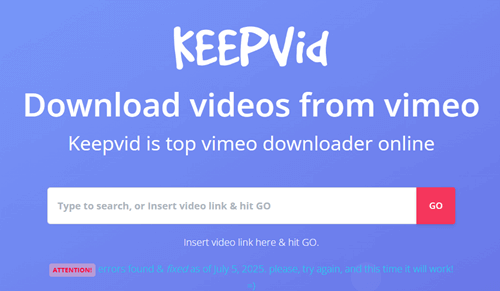
KeepV.id is an online video downloader tool that supports over 1,000 different websites, including a very robust Vimeo downloader. It’s designed for users who need flexibility.
Not only can you download videos in various MP4 resolutions, but KeepV.id also lets you save just the audio or even the subtitles separately, a rare and helpful feature.
The platform is optimized for speed, ensuring that even longer Vimeo documentaries download quickly. KeepV.id is a great “utility belt” tool to have in your browser for whenever you encounter a video you just have to save.
Pricing: Free | Website
4. Savefrom.net

Savefrom.net is another popular online tool for downloading videos from Vimeo, YouTube, TikTok, and other social media platforms. It also has an Android app and Chrome extension to quickly download your favorite videos from the web.
Click the drop-down arrow to view download options for all formats. Choose a resolution type and click the download button to save Vimeo videos to your device.
Pricing: Free | Website
5. AceThinker
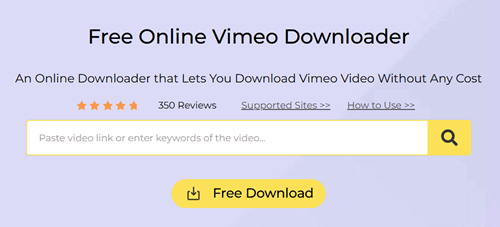
AceThinker offers a streamlined, secure way to download Vimeo content without any hidden catches. This web-based tool is highly appreciated for its speed and “one-click” philosophy.
It is fully compatible with all major browsers like Chrome, Firefox, and Safari.. The best thing about AceThinker is its focus on security; the site is regularly scanned to ensure that malware or threats never reach your computer.
This Online Vimeo Downloader is an ideal choice for parents or professionals who want a clean, efficient download experience that preserves the original video clarity.
Pricing: Free | Website
6. Vimeo-Downloader.com

As the name suggests, Vimeo-Downloader.com is a dedicated tool built specifically for the Vimeo platform. Because it’s so focused, it’s incredibly efficient at parsing Vimeo links, which other general downloaders might struggle with.
The interface is clean and modern, making it very easy for beginners to navigate. It lets you choose your preferred resolution before you get started, and it even supports converting videos to high-quality audio files.
With no login or personal information required, it’s a great privacy-conscious option for grabbing a quick video for offline viewing or presentation.
Pricing: Free | Website
7. SaveTheVideo
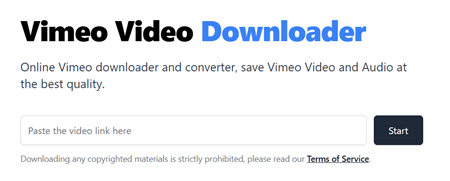
If you’re looking for a versatile tool that can handle more than just simple downloads, SaveTheVideo is a great choice. This online platform is a favorite among users who want high-quality results without installing bulky software.
SaveTheVideo supports a wide range of formats, allowing you to save your favorite Vimeo clips as MP4s or extract the audio as an MP3. What sets it apart is its built-in editing feature; you can even trim the video before downloading it!
This Vimeo downloader is fast, free, and works right in your browser, making it a great “all-in-one” stop for quick video saves.
Pricing: Free | Website
8. VimeoToMP4
If speed is your top priority, VimeoToMP4.com is made for you. This tool is optimized for “lightning fast” processing, instantly converting any Vimeo link into a downloadable MP4 file.
It’s a dedicated, web-based service that focuses on doing one thing exceptionally well. You won’t find confusing buttons or distracting ads here; just a simple search bar and a download button.
VimeoToMP4 is especially useful for students or researchers who need to grab multiple clips in a row without waiting for slow conversion times. It’s fast, efficient, and completely free to use.
Pricing: Free | Website
Method 3: Best Desktop Software (Windows & Mac) to Download Vimeo Videos
If you need to download an entire series of videos or want to ensure you get 4K Vimeo downloads without quality loss, desktop software is superior to web-based tools.
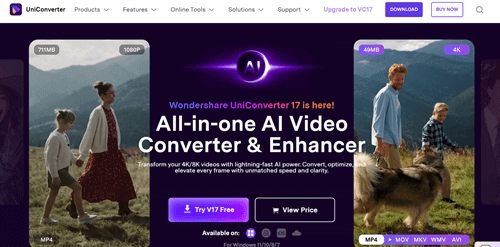
If you’re looking for a professional-grade solution that goes beyond simple downloads, Wondershare UniConverter is a great choice. This all-in-one media toolkit is known for its incredible speed—up to 120 times faster than standard converters.
Open UniConverter, go to the “Downloader” tab, and paste your video URL. The software will analyze the link and offer various resolution options, including 4K.
Once you’ve chosen your settings and hit “Download,” the file will be saved to your computer. It even lets you convert the file to over 1,000 different formats or edit it right away.
UniConverter is a great, fast tool for users who want quality and versatility in one package.
Pricing: Premium | Website
2. yt-dlp
For tech-savvy users or those who want a powerful, open-source tool without restrictions, yt-dlp is the ultimate command-line utility.
While it doesn’t have the traditional “button” interface, its efficiency is unmatched. To use it, you first need to download the yt-dlp executable file and prepare it in your terminal or command prompt.
Follow the Vimeo link, type yt-dlp, and press Enter. The tool automatically fetches the highest quality version available. If you want a specific format, you can add commands like -f mp4.
yt-dlp is great at bypassing common download restrictions, and can even grab entire channels or password-protected videos if you have the credentials. It’s a lightweight, ad-free, and incredibly powerful option for anyone who likes to do a little typing to get the best results.
Pricing: Free | Website
Which is your favorite tool for downloading Vimeo videos?
Read How to Turn Off Autoplay on YouTube